

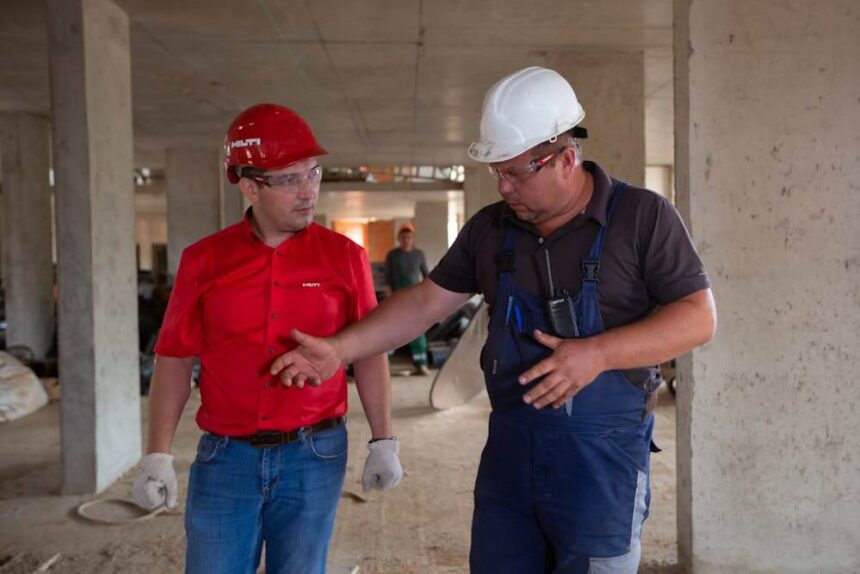
Your superintendent just called from the jobsite—the architect made last-minute changes to the electrical plans and the crew needs access to the updated drawings before they pour the slab this afternoon. You pull out your laptop to download the files from the project management system, but the jobsite WiFi barely loads email, let alone 200MB of PDFs.
This is the daily reality that exposes the gap between what office-focused technology assumes and what construction actually requires. IT solutions for construction can’t just be “regular IT plus some rugged cases”—they need to be fundamentally designed around how project managers and field teams actually work.
When connectivity is a suggestion, not a guarantee
Office IT assumes reliable high-speed internet is always available. Construction project managers know that’s fantasy.
Your jobsite trailer might have decent internet today and none tomorrow because someone hit the line with an excavator. The new high-rise you’re managing has great connectivity on the lower floors but nothing on the 15th floor where crews are working. The renovation project in an old building has walls so thick that cellular signal barely penetrates.
Effective IT solutions for construction need to work in these conditions:
Offline functionality that actually works – Not just cached data from yesterday, but the ability to access current drawings, submit daily reports, update schedules, and log issues even when there’s zero connectivity. When connection returns, everything syncs without the PM having to remember what they did offline.
Mobile hotspot strategies that account for job site realities – Understanding which carriers have coverage in rural areas versus downtown construction sites. Knowing that hotspots run out of battery by lunch without power access on active sites.
Bandwidth-conscious design – When the jobsite internet is slower than residential service from 2010, downloading multi-gigabyte BIM models isn’t realistic. IT solutions for construction need to work with limited bandwidth, not fight against it.
Surviving environments that destroy office equipment
Project managers spend time in environments where regular business technology simply doesn’t survive. Dust from concrete cutting, moisture from humidity or rain, temperature extremes from working in unconditioned spaces, vibration from heavy equipment—these aren’t edge cases, they’re Tuesday.
Office-focused IT providers will suggest putting your laptop in a case and being careful. That works until:
- Construction dust clogs the cooling vents and your laptop overheats
- You need to review plans outside in Georgia summer heat or winter cold
- Rain gets into your truck and soaks the equipment bag
- You drop your tablet while climbing a ladder to check ceiling clearances
IT solutions for construction account for these realities:
- Devices that are actually rated for dusty and wet environments, not just consumer electronics in protective cases
- Screen technology that’s readable in direct sunlight (because reviewing plans happens outside, not in dim offices)
- Batteries that last through 10-hour days without nearby power outlets
- Accessories designed for gloved hands and dirty conditions
Accessing information while moving between sites
Most office workers have a desk. Project managers have a truck, three active jobsites, suppliers they visit regularly, and client meetings scattered across town.
They might start the day at the office, spend two hours at Site A reviewing progress, drive to Site B to meet the engineer, swing by the supplier to check material availability, and end at Site C for an owner walkthrough. At each location, they need access to different project information, and they can’t wait 10 minutes for systems to load.
IT solutions for construction need to support this mobility:
Fast access to project-specific information – Not digging through folder hierarchies or waiting for searches to complete. When you’re on Site B, you need Site B information immediately.
Vehicle-friendly technology – Mounts that let you safely access information between stops, charging that works with truck power systems, organization that survives being driven over construction roads.
Transition between connectivity types – Moving seamlessly from office WiFi to cellular to jobsite internet without losing access or having to reconnect manually every time.
Real-time coordination with people who aren’t at computers
The biggest disconnect between office IT and construction reality is this: most of the people project managers need to communicate with aren’t sitting at desks.
Your superintendent is walking the site. Your foreman is on a scissor lift. Your subcontractors are installing equipment. They’re not checking email every 15 minutes—they might check it once at lunch if they remember.
IT solutions for construction address this through:
Communication methods that reach field crews – Text-based updates that come through on phones people actually have with them. Photo-based progress tracking that doesn’t require writing detailed reports. Voice notes that can be recorded while walking the site.
Real-time updates that propagate to everyone – When the owner changes something, everyone affected knows immediately, not when they next log into the project portal.
Reduced administrative burden – Field crews shouldn’t need to duplicate information—entering it once in a daily report should populate schedules, safety logs, and progress tracking automatically.
Managing document chaos across project phases
Construction projects generate absurd amounts of documentation, and it changes constantly. This morning’s structural drawings are outdated this afternoon because the engineer revised them. The submittal you approved last week needs to be cross-referenced with installation photos from today.
Office document management assumes relatively stable files in organized folders. Construction document management deals with:
- Multiple revisions of the same drawing, where using the wrong version costs thousands
- Submittals, RFIs, change orders, daily reports, safety documentation, inspection records
- Photos and videos that need to be tied to specific locations and dates
- Documents that need to be accessible by trade, by date, by building area, or by issue
IT solutions for construction provide:
Version control that prevents costly mistakes – Making it impossible to accidentally work from outdated plans because the current version is always clearly marked and old versions are archived, not just renamed.
Document organization that matches how construction works – By trade, by building area, by submittal package, by issue—not just alphabetical file listings.
Search that accounts for construction terminology – Finding “all electrical submittals for the third floor” without knowing exact file names or folder structures.
Supporting split-second decision making
Project managers make dozens of decisions daily that affect schedule, budget, and safety. These decisions often can’t wait for office hours or committee meetings.
The foreman calls about an unexpected structural issue—do you proceed with the workaround or wait for the engineer? Material didn’t arrive as scheduled—do you shift crews to a different area or send people home? Weather forecast changed—do you mobilize for tomorrow’s pour or postpone?
Office IT assumes you have time to research, consult, and deliberate. Construction IT needs to support rapid decision-making:
- Quick access to relevant precedents from past projects
- Budget impact visibility without waiting for accounting to run reports
- Schedule implications calculated immediately, not manually later
- Contact information for everyone who needs to weigh in, with communication channels that reach them now
The documentation that protects against disputes
Construction involves multiple parties with competing interests, tight budgets, and high stakes. When disputes arise—and they always do—the documentation trail matters.
Office IT backs up your files. IT solutions for construction create defensible records:
Timestamped photo documentation – Proving conditions at specific dates and times, with location data that confirms where photos were taken.
Change order paper trails – Clear records of who requested what, when, and how it was communicated and approved.
Daily report archives – Searchable history of weather conditions, crew sizes, activities, and issues that can resolve disputes months later.
Communication logs – Evidence of what was discussed, when, and with whom—critical when “he said, she said” arguments emerge.
Integration with construction-specific software
Project managers don’t just need generic business tools—they need technology that works with Procore, PlanGrid, Buildertrend, CoConstruct, or whatever project management platform their company uses.
Office IT providers treat these as “just another application to support.” IT solutions for construction understand these platforms are central to operations:
- Ensuring they perform well even with large drawing sets and photo libraries
- Troubleshooting sync issues between field devices and office systems
- Optimizing configurations for construction workflows
- Training staff on features that actually matter for daily operations
Why generic IT falls short for construction PMs
The fundamental issue is this: office IT is designed around people working at desks with reliable connectivity and climate-controlled environments. Construction project managers work in trucks, on jobsites, in weather, with unreliable connectivity, alongside people who aren’t at computers.
When you evaluate IT solutions for construction, the key questions aren’t about response times and pricing—they’re about understanding:
- How does this work when I’m standing in mud reviewing foundation issues?
- Can I access what I need when the jobsite internet is down?
- Will this survive the environment my equipment actually operates in?
- Does this support how construction communication actually happens?
The IT provider who’s never supported construction companies will talk about cloud storage and mobile device management. The one who gets it will talk about offline access strategies, ruggedized equipment options, and bandwidth optimization for large drawing files.
Project managers need IT solutions for construction that work in construction’s reality, not technology designed for offices that happens to also install on jobsite devices. The difference between the two becomes obvious the first time you’re standing in a partially completed building trying to make a decision that affects the schedule, and your technology either supports you or fails you.