

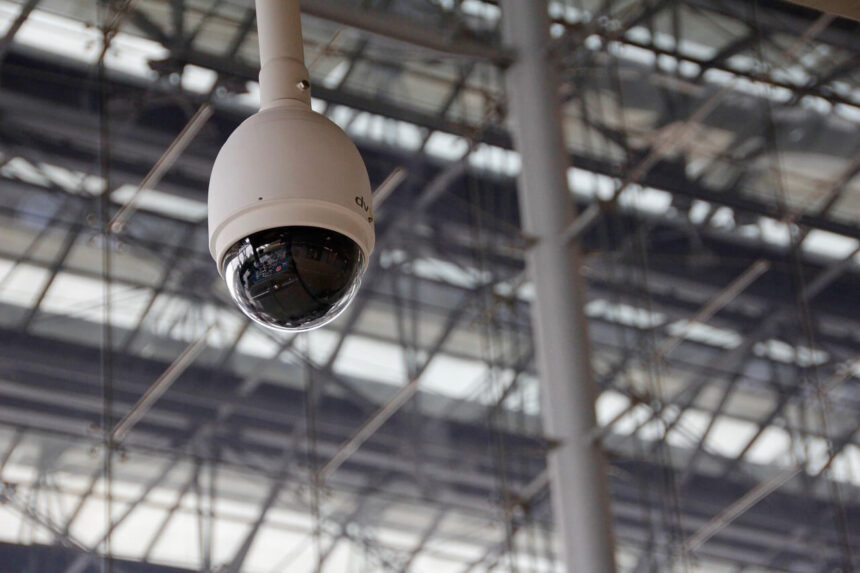
Good surveillance is steady, simple, and trusted by your team. It protects people, property, and the way your business runs.
This guide shows how to plan, build, and maintain a system that works every day. You will learn how to set goals, pick tech, and keep footage safe.
Map Your Risks And Objectives
Start with a short risk map. Note entrances, exits, cash points, stock rooms, parking lots, and any blind spots.
Define what you need to see and when. Decide if you want faces, license plates, or just movement.
Turn goals into clear rules. Write how many days to store video, who can access it, and how fast alerts should arrive.
Keep it practical. Focus on the events that hurt you most, like theft, safety claims, or after-hours access.
Choose The Right Camera Mix And Placements
Pick camera types for the job. Domes fit lobbies, bullets cover long drives, and fisheyes watch open areas.
Write a simple placement plan that names angles, heights, and security camera systems for your business that match each location. Check lighting day and night, so details hold up.
Use fields of view that overlap. That helps tracking and reduces blind spots when someone moves between zones.
Document each mount point. Include height, bracket type, and what the view must show, so future swaps are fast.
Standardize On Open Protocols And Analytics
Pick gear that plays well with others. Open standards make upgrades cheaper and smoother.
A major industry group notes that Profile M helps devices share analytics and metadata in a consistent way. That means alerts and counts from different vendors can land in one place.
Use this to avoid lock-in. If a camera ages out, you can replace it without redoing your whole stack.
Ask vendors to prove conformance. Make it part of your purchase checklist and acceptance test.
Build A Reliable Network And Power Backbone
Your video is only as strong as the network and power behind it. Keep it simple and resilient.
Use wired links where you can. Reserve wireless for places a cable cannot reach or as a backup path.
Add safeguards that cut downtime and noise:
- PoE switches backed by UPS units
- VLANs that isolate video from office traffic
- Surge protection and proper grounding at every rack
- Clear port maps and labels on patch panels
Monitor switch loads and camera bitrates. Set alerts for link flaps and offline devices.
Harden Accounts, MFA, And Access Control
Limit who can log in and what they can do. Give each role only the permissions it needs.
Turn on multi-factor authentication for admin and remote access. Federal guidance reports that using MFA makes accounts far less likely to be compromised.
Rotate strong passwords on a fixed schedule. Remove shared logins and track changes with audit logs.
Secure remote access. Use a VPN or a zero-trust gateway and disable port forwarding to recorders.
Set Smart Recording And Retention Rules
Record on motion in low-risk spaces and continuously in high-risk ones. This balances quality and storage.
Choose clear retention targets by site type. A respected industry guide says that 30 days is a common standard that balances risk and cost.
Flag events for longer hold times. Incidents, HR cases, and law requests often need extended retention.
Purge on schedule. Automate deletion so you reduce storage costs and meet privacy rules.

Use Cloud And Hybrid Video Wisely
Cloud tools can add search, sharing, and off-site backups. Hybrid designs often fit best for bandwidth and cost. You get faster retrieval for investigations. You also reduce the load on local teams. Start with one pilot site before you scale.
Send only key streams to the cloud. Keep full bitrate recording on premises when links are limited. Transcode secondary streams for remote review. Throttle uploads during business hours to protect apps. Document which cameras sync to the cloud and why.
Encrypt data in transit and at rest. Use certificates and keep keys safe. Rotate keys on a schedule. Limit who can download archives. Log every access and alert on unusual activity.
Test recovery. Restore a clip from the cloud and from local storage so you know it works. Practice the full workflow with a stopwatch. Note any steps that slow you down. Update the playbook after each test.
Measure Performance And Improve Continuously
Define a few metrics that matter. Examples are uptime, false alerts, response time, and case close rates. Tie each metric to a clear owner. Set simple targets for each site. Post results where managers can see them.
Review them monthly with site leads. Look for patterns like cameras that fail often or areas with frequent alarms. Compare weeks with promotions or events to normal weeks. Correlate alerts with staffing levels. Escalate repeat problems to engineering or vendors.
Fix root causes. Move a camera, add light, adjust motion masks, or upgrade a lens. Write down what changed and when. Recheck metrics 2 weeks later. Keep a backlog of small fixes that crews can do between shifts.
Set an annual roadmap. Plan swaps before gear fails so your system stays reliable. Budget for these changes in Q1. Share the plan with IT and facilities. Review progress midyear and adjust.
Keep People In The Loop
Technology works best when people trust it. Explain what the system does and why you use it. Show sample clips during onboarding. Invite questions and address concerns right away. Make it clear how footage is protected.
Write short policies in plain language. Cover privacy, access rules, and how requests are handled. Include who can request exports and timelines. Add examples so staff can follow the rules. Review policies yearly with legal and HR.
Give supervisors simple checklists. Make it easy to report issues and request fixes. Keep forms short and mobile-friendly. Track close-out time for requests. Celebrate teams that keep systems in good shape.
Share wins carefully. When video helps solve a problem, thank the team that followed the process. Protect privacy when you share details. Focus on the behavior and process, not the person. Use wins to reinforce the standard.
Reliable surveillance is not one big purchase. It is clear goals, solid build choices, and daily care.
Start small, write things down, and improve each quarter. You will have a system that people count on when it matters most.